

The Continuous Learning Loop
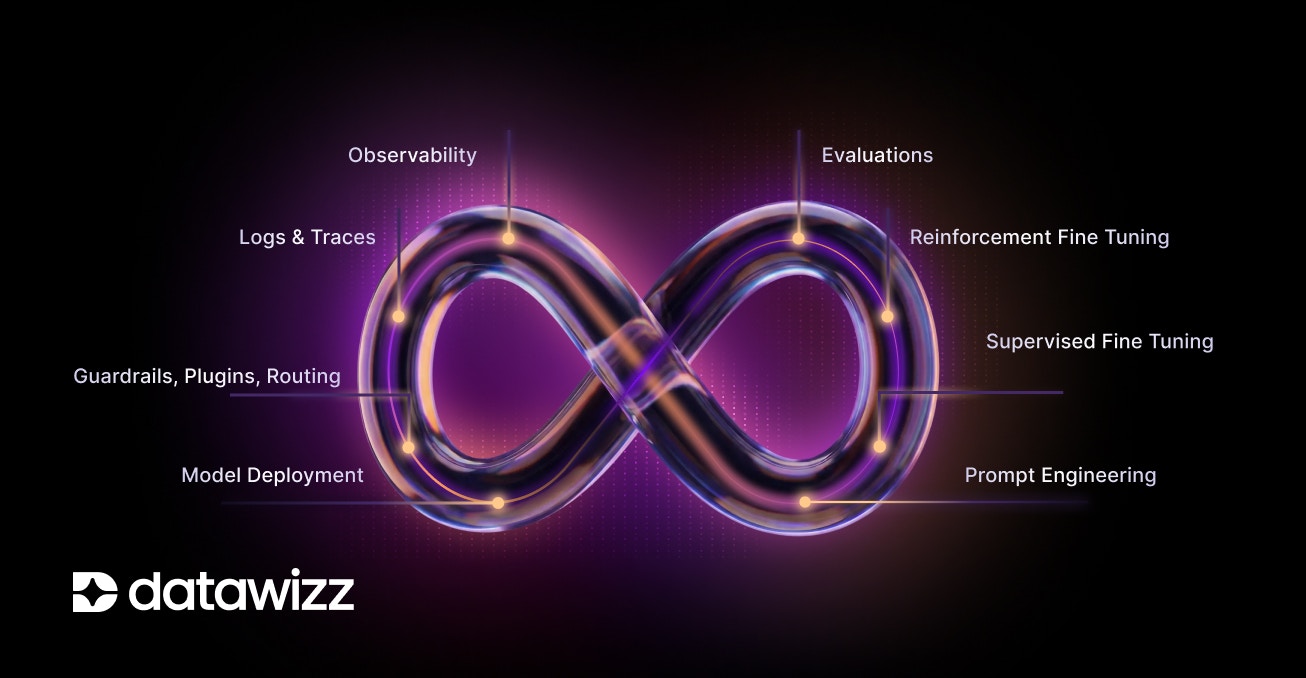
- Logs and Traces: continuous learning starts with collecting runtime data - including LLM call logs, traces, and user feedback. This data captures how the model is being used in real-world scenarios.
- Observability: using the collected data, understand model performance, identify failure modes, and detect areas for improvement.
- Prompt Engineering: refine and optimize prompts based on insights from observability to improve model responses. Use manual adjustments or automated prompt tuning techniques.
- Supervised Fine Tuning: leverage the collected data to fine-tune models on specific tasks or domains. This can involve training on new datasets derived from logs and traces, helping the model adapt to evolving requirements.
- Reinforcement Fine Tuning: incorporate user feedback and reward signals to further refine model behavior. This helps align the model with user expectations and desired outcomes.
- Evaluations: after each adjustment (prompt changes, fine-tuning), evaluate the model’s performance against a mixture of golden datasets and real-world data to ensure improvements are realized.
- Deployment: deploy the updated model into production, replacing or augmenting the previous version. Monitor its performance continuously to ensure it meets desired standards.
- Guardrails, Plugins and Routing: implement guardrails, plugins, and routing mechanisms to ensure the model operates safely and effectively in production environments. These tools help manage risks and enhance the model’s capabilities.
Continuous Learning with Datawizz
Datawizz enables the entire continuous learning cycle - letting you close the loop faster, ship updates more quickly, and maintain high model performance over time. The key insight is connecting runtime data collection & augmentation with model training and evaluation. In this section, we’ll walk you through setting up your Datawizz project for continuous learning.1 - Data Collection - Logs, Online Evals and User Feedback
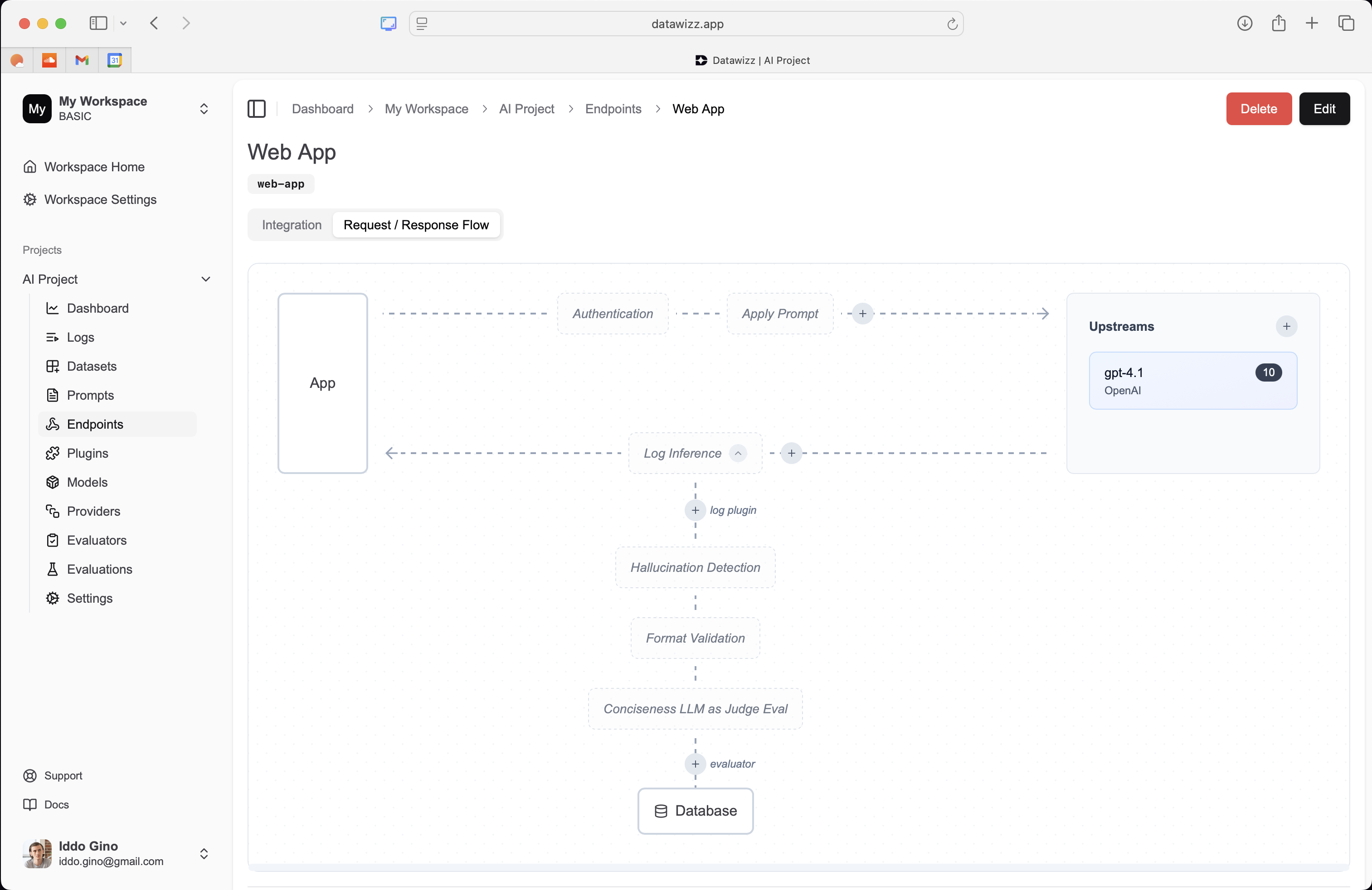
The first step in continuous learning is collecting runtime data. Datawizz automatically captures LLM call logs - simply route your LLM calls through Datawizz and the logs will be stored in your project: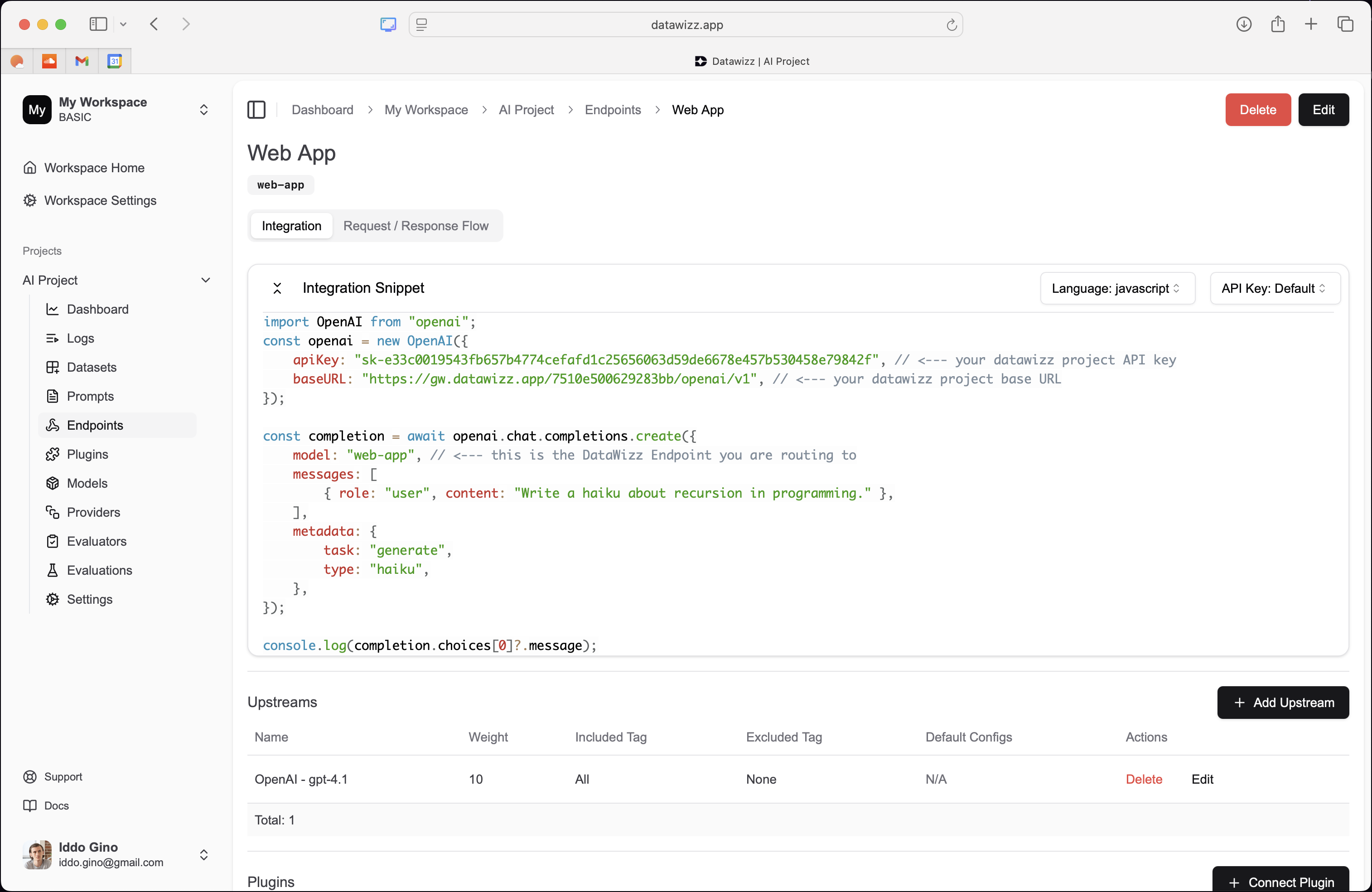
2 - Observability - Monitor Model Performance
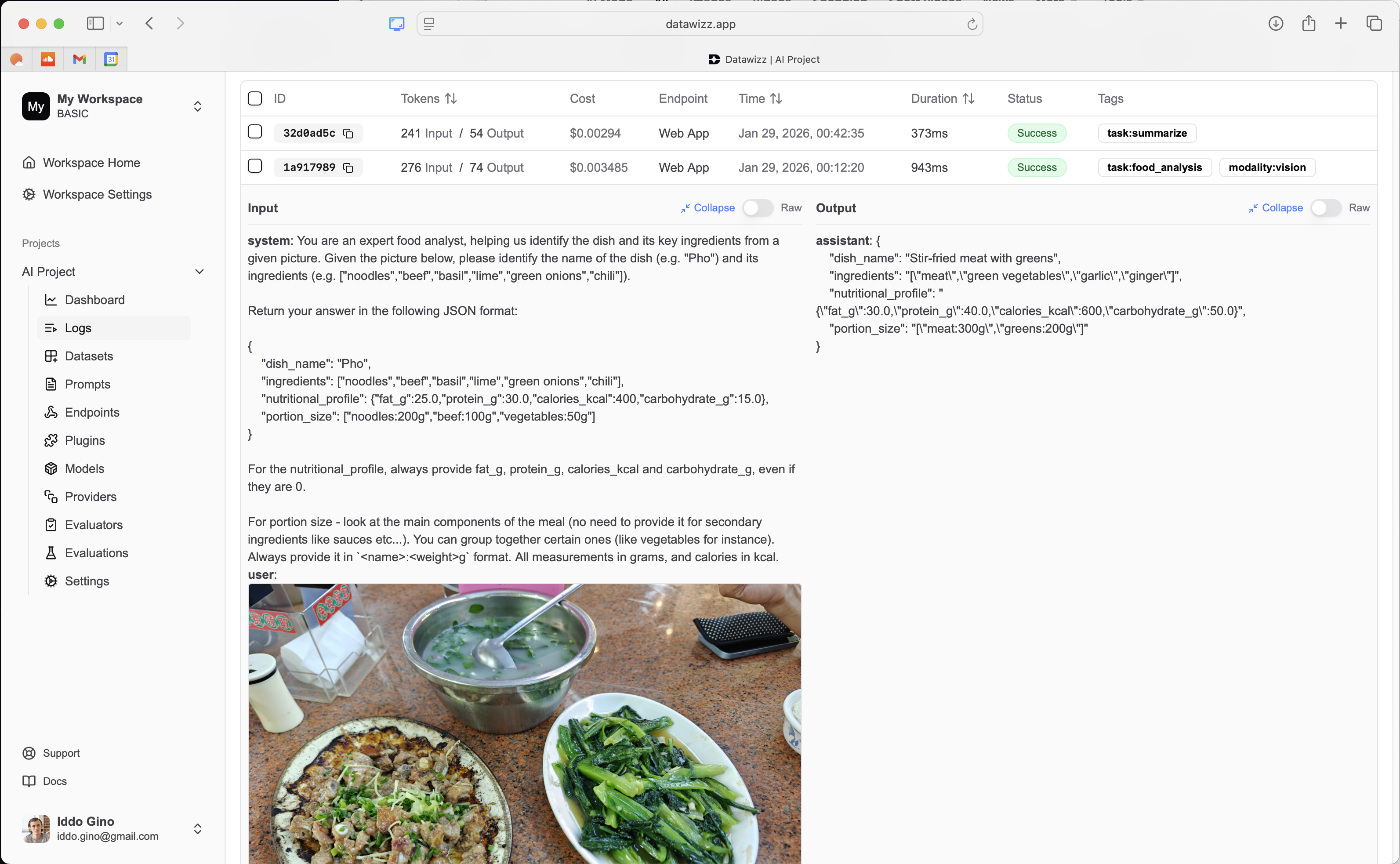
The Datawizz Dashboard lets you monitor model performance over time using the collected logs, online evals, and user feedback. Use the dashboard to identify failure modes, track key metrics, and uncover areas for improvement. You can also drill down into individual logs to understand specific model behaviors and issues:
3 - Prompt Engineering - Refine Prompts Based on Insights
Use Datawizz to experiment with prompt engineering based on insights from observability. You can create and test different prompt variations directly in the Datawizz dashboard: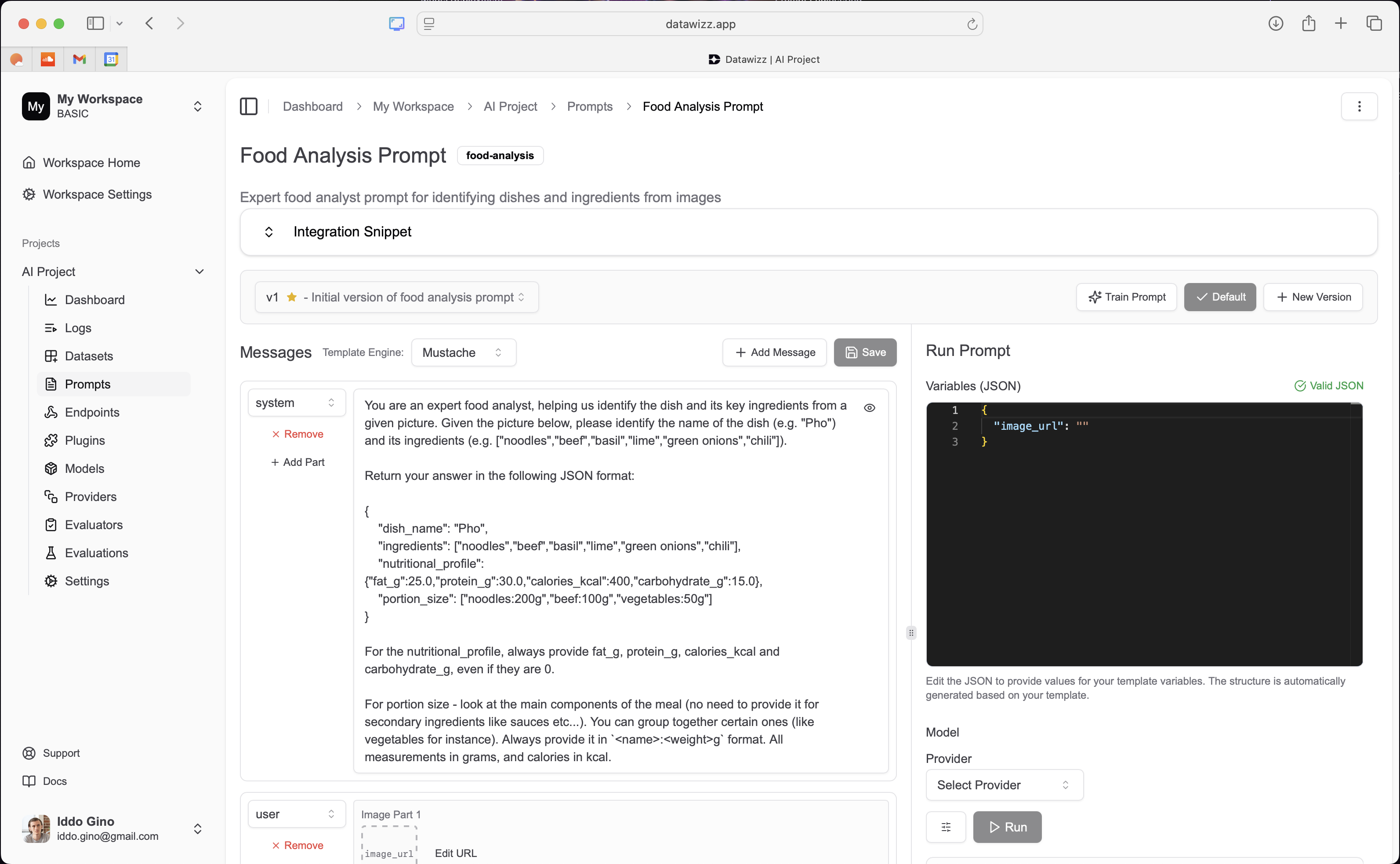
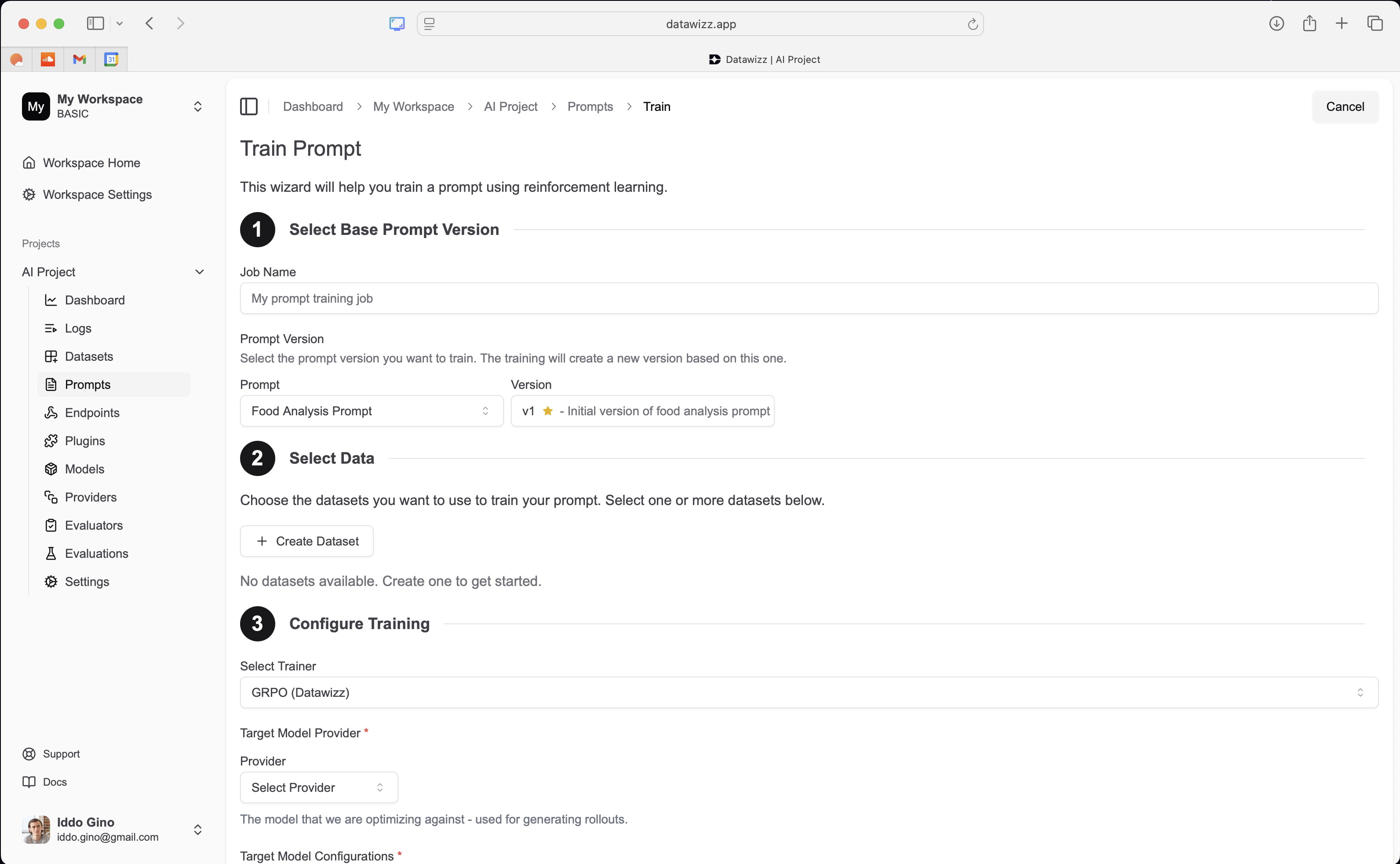
4 + 5 - Fine Tuning - Supervised and Reinforcement Learning
Datawizz makes it easy to fine-tune your models using the collected data. You can create fine-tuning datasets directly from logs, online evals, and user feedback and launch fine-tuning jobs in just a few clicks: >> Learn more about Fine-Tuning Models with Datawizz.
6 - Evaluations - Continuous Testing and Validation
After each model update (prompt changes, fine-tuning), use Datawizz to evaluate model performance against a mix of golden datasets and real-world data. Datawizz lets you set up evaluation jobs and use custom evaluators to validate results - either defined in code (Python) or using LLM as Judge.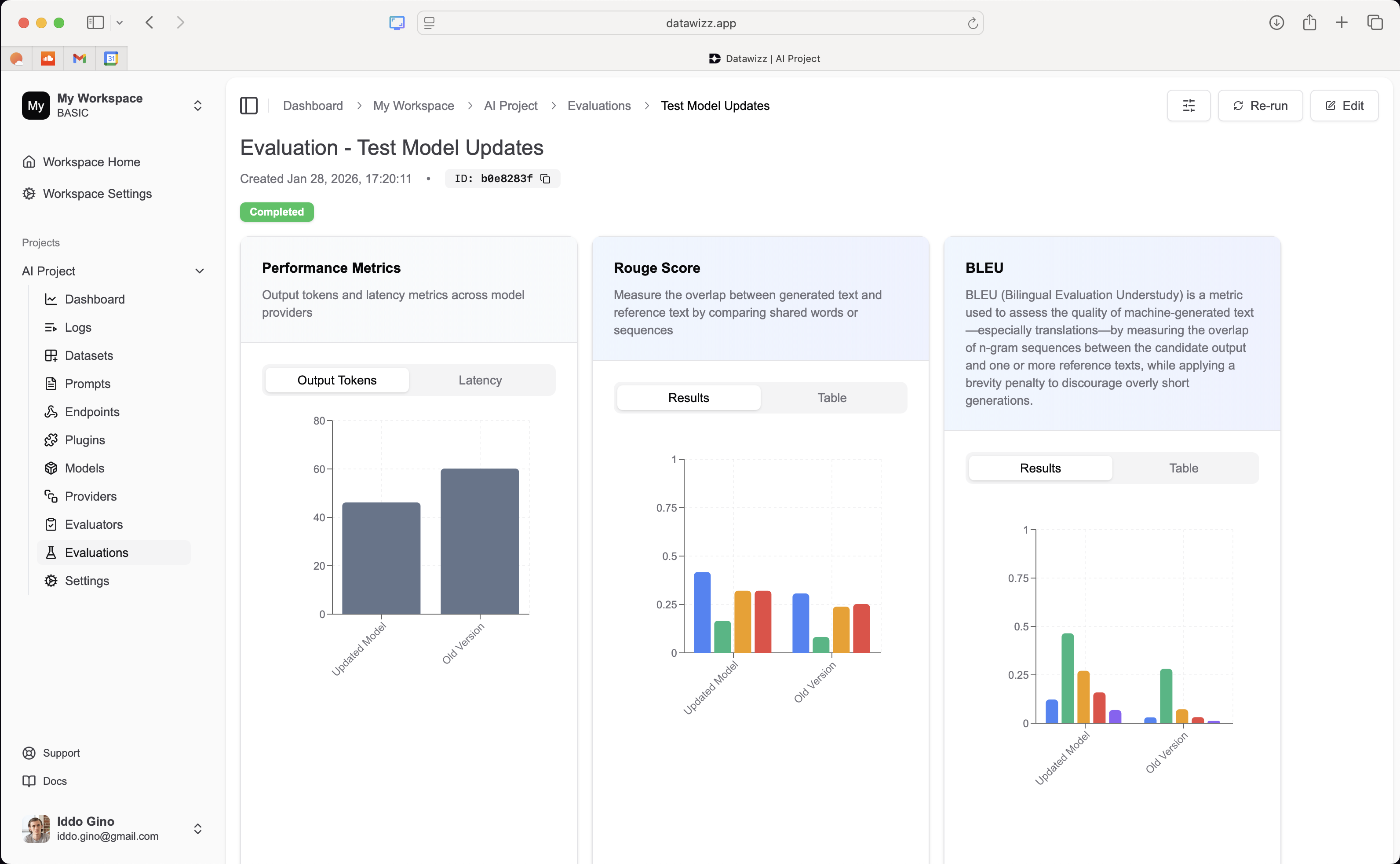
7 - Deployment - Seamless Model Updates
Once you’ve validated model improvements, deploy the updated model directly from Datawizz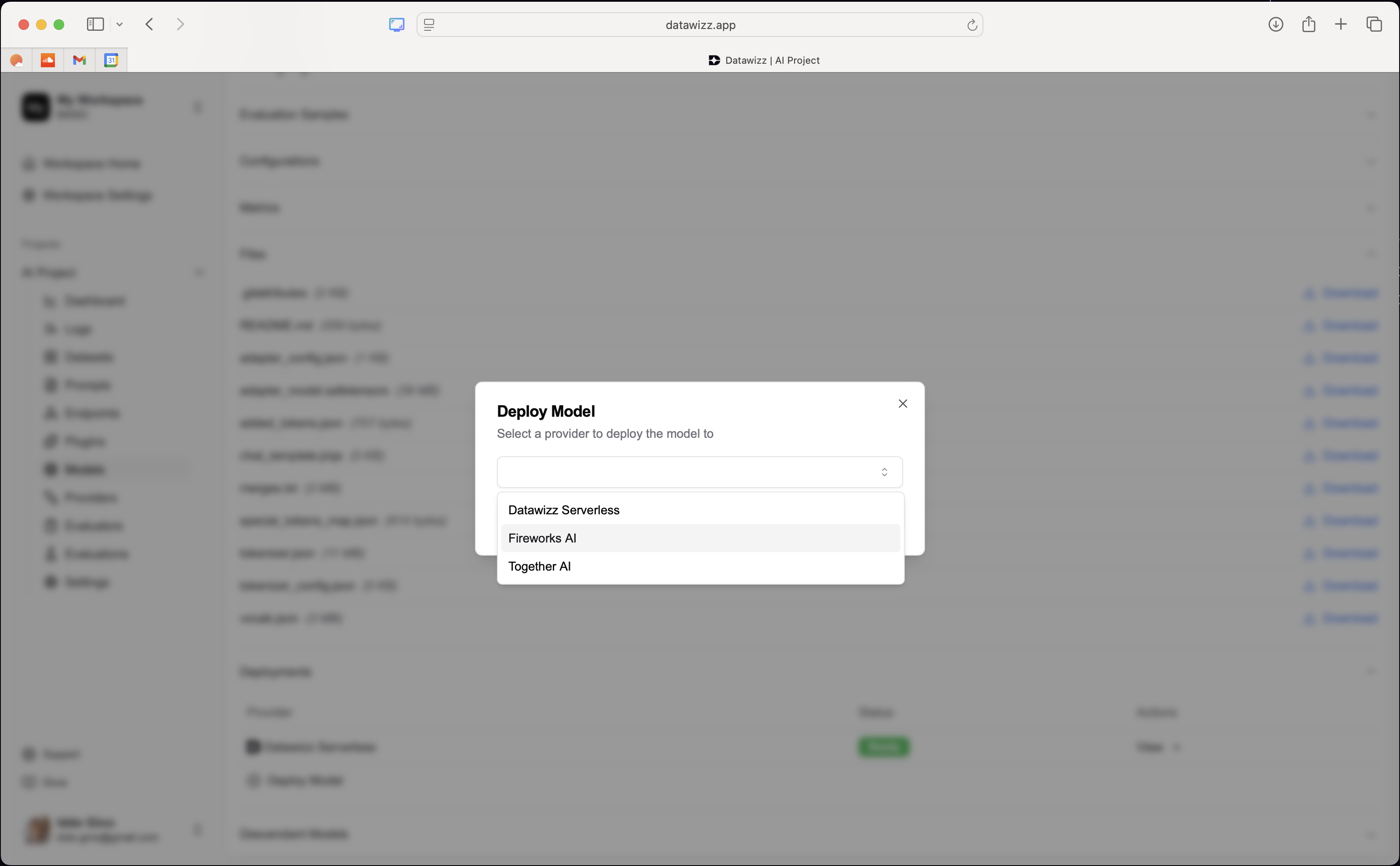
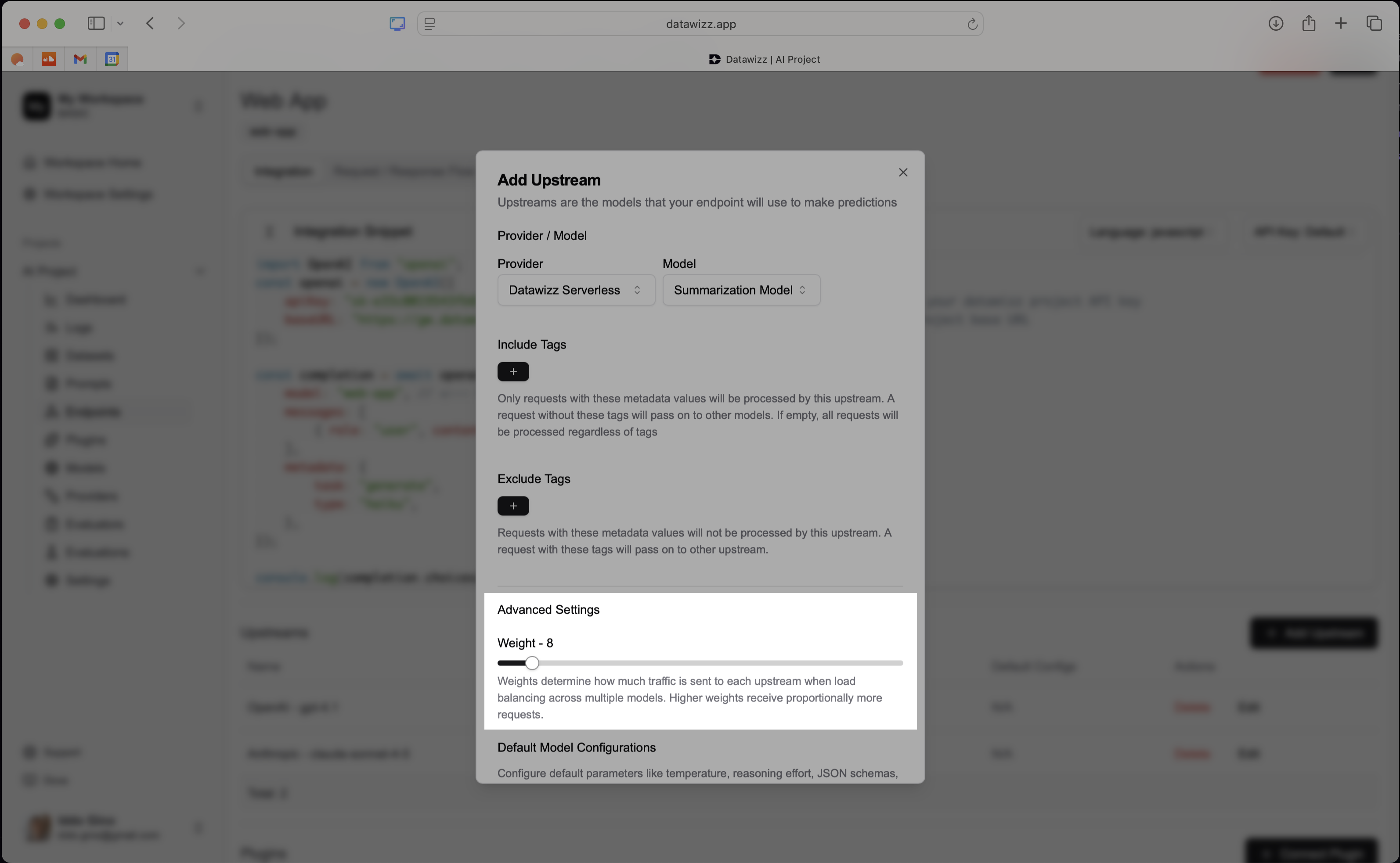
8 - Guardrails, Plugins and Routing - Safe and Effective Operations
Datawizz helps you further enhance model performance and safety in production using guardrails, plugins, and routing mechanisms.- Plugins & Guardrails let you extend model capabilities and enforce safety constraints.
- Routing enables intelligent request routing based on input characteristics, user segments, or other criteria.
∞ - Rinse and Repeat
Continuous learning is an iterative process. Regularly repeat the loop to keep your models up to date and responsive to changing needs. Datawizz provides all the tools you need to close the loop faster and maintain high model performance over time. For model fine tuning - Datawizz lets you re-train models on fresh data as it comes in. Simply create new fine-tuning datasets from the latest logs and feedback, and launch new fine-tuning jobs using older models as the base, to continuously adapt to new data.Setting Up for Success with Continuous Learning
There are a few best practices to keep in mind when implementing continuous learning with Datawizz:- Invest in Evaluators: robust evaluators are critical for measuring model performance and guiding improvements. Invest time in developing high-quality custom evaluators that capture key aspects of your use cases.
- Datawizz lets you define a set of custom evaluators that can be used across online evals, fine-tuning datasets, and evaluation jobs. This ensures consistency in how you measure performance throughout the continuous learning loop.
- Crafting evaluators is where you should likely be spending most of your time - they are the foundation for effective continuous learning.
- Leverage User Feedback: user feedback is a valuable source of insights for continuous learning. Make it easy for users to provide feedback and incorporate it into your learning loop.
- Collect both explicit feedback (ratings, comments) and implicit feedback (user behavior signals).
- Use feedback to inform prompt engineering, fine-tuning datasets, and evaluation criteria.
- Use rich Metadata and Tagging: Datawizz supports extensive metadata and tagging capabilities. Use these features to organize and filter logs, datasets, and models effectively.
- Tag logs with relevant context (e.g. user segments, use cases) to facilitate targeted analysis and dataset creation.
- Use metadata to track model versions, fine-tuning parameters, and evaluation results.