Langfuse offers a powerful way to manage prompts, track AI usage and sessions and evaluate AI platforms. Datawizz can be used alongside Langfuse to train custom SLMs fine-tuned for your use case and perform smart-routing between multiple models.

Using Datawizz + Langfuse in Runtime

The Datawizz gateway is compatible with Langfuse clients for both Python and Node.js. You can simply follow the instructions on using the Langfuse OpenAI SDK, using Datawizz Base URL and API Key patameters.

Python

from langfuse.openai import OpenAI
client = OpenAI(
    api_key="sk-your_openai_api_key", # <--- your datawizz project API key
    base_url="https://gw.datawizz.app/**************/openai/v1", # <--- your datawizz project base URL
)
response = client.chat.completions.create(
    model="********",  # <--- this is the DataWizz Endpoit you are routing to,
    messages=[
        {
            "role": "user",
            "content": [
                {"type": "text", "text": "What's the speed of light?"},
            ],
        }
    ]
)
Langfuse python reference: Langfuse Python

Javascript / Typescript

import OpenAI from "openai";
import { observeOpenAI } from "langfuse";
const openai = observeOpenAI(new OpenAI(
    apiKey: "sk-your_openai_api_key", // <--- your datawizz project API key
    baseUrl: "https://gw.datawizz.app/**************/openai/v1", // <--- your datawizz project base URL
));
const completion = await openai.chat.completions.create({
    model: "********", // <--- this is the DataWizz Endpoit you are routing to
    messages: [
        { role: "user", content: "Write a haiku about recursion in programming." },
    ],
});
Langfuse javascript reference: Langfuse Javascript Once you have this set up, you cna configure your Datawizz endpoint to route to different models. Datawizz will also log these transactions for farther SLM training and evaluation.

Using Existing Langfuse

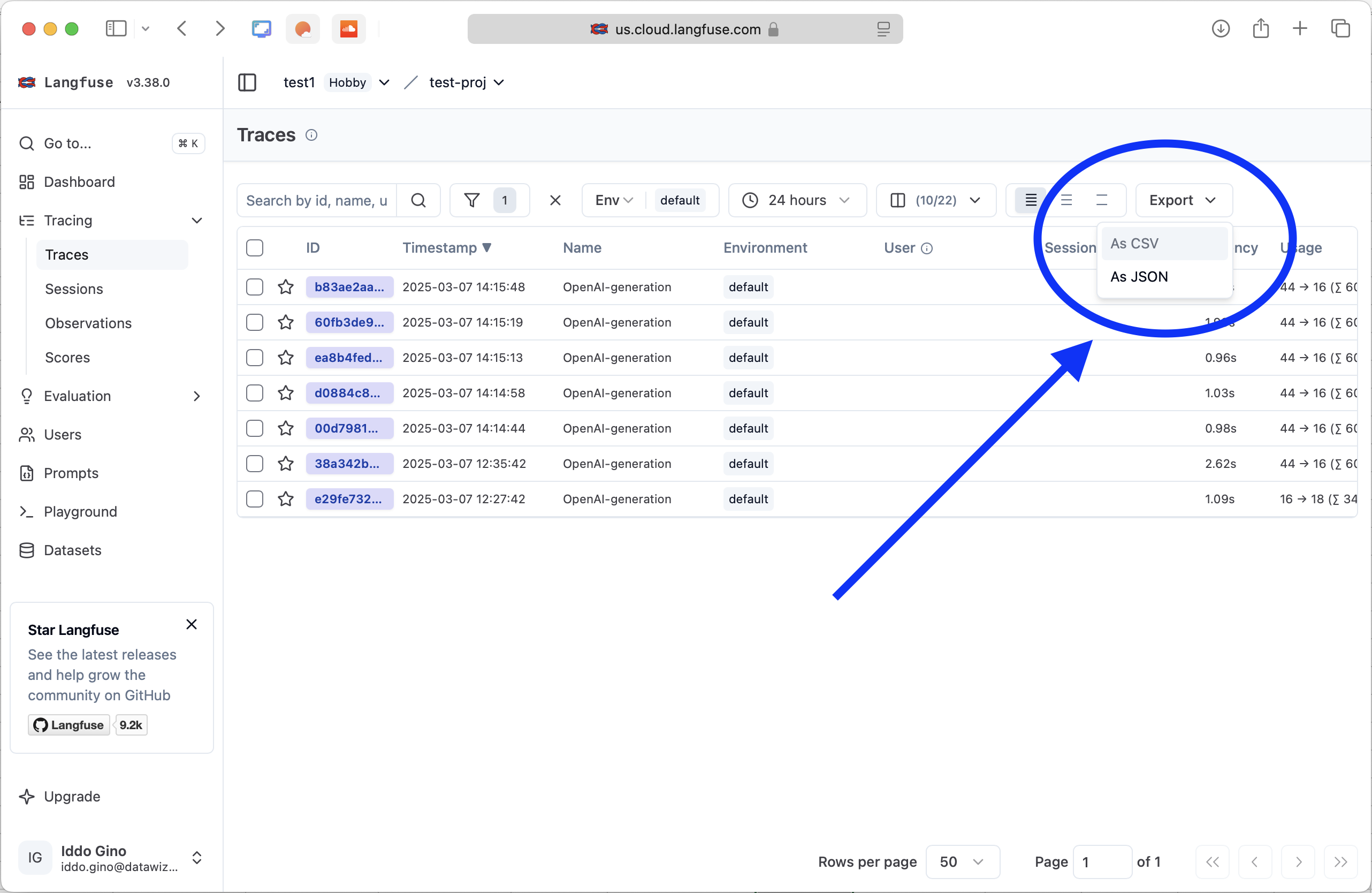
If you have an existing project using Langfuse and have collected logs, you can upload these logs to Datawizz for training and evaluation. Datawizz supports importing logs from Langfuse in CSV format. You can use the Datawizz dashboard to create a new dataset and import logs from a CSV file. In the Langfuse dashboard, select the traces you wish to use and export them as a CSV. The langfuse CSV format is compatible with Datawizz, so you can upload it as-is to be used for training. Langfuse CSV Read more about exporting from Langfuse: https://langfuse.com/docs/fine-tuning Read more about uploading CSVs and using them for training: Using Datasets